Free delivery

Gobo Light Projector & Custom Logo Projector for Business, Rotating with Remote, 25–150W

(16 customer reviews)
Price range: $37.99 through $446.99
Save up to 10%

Put your logo on the sidewalk, floor or wall with this gobo light projector. Choose a power from 25W to 150W, add a logo lens with your design, and it projects a crisp circle of light that turns or holds still.

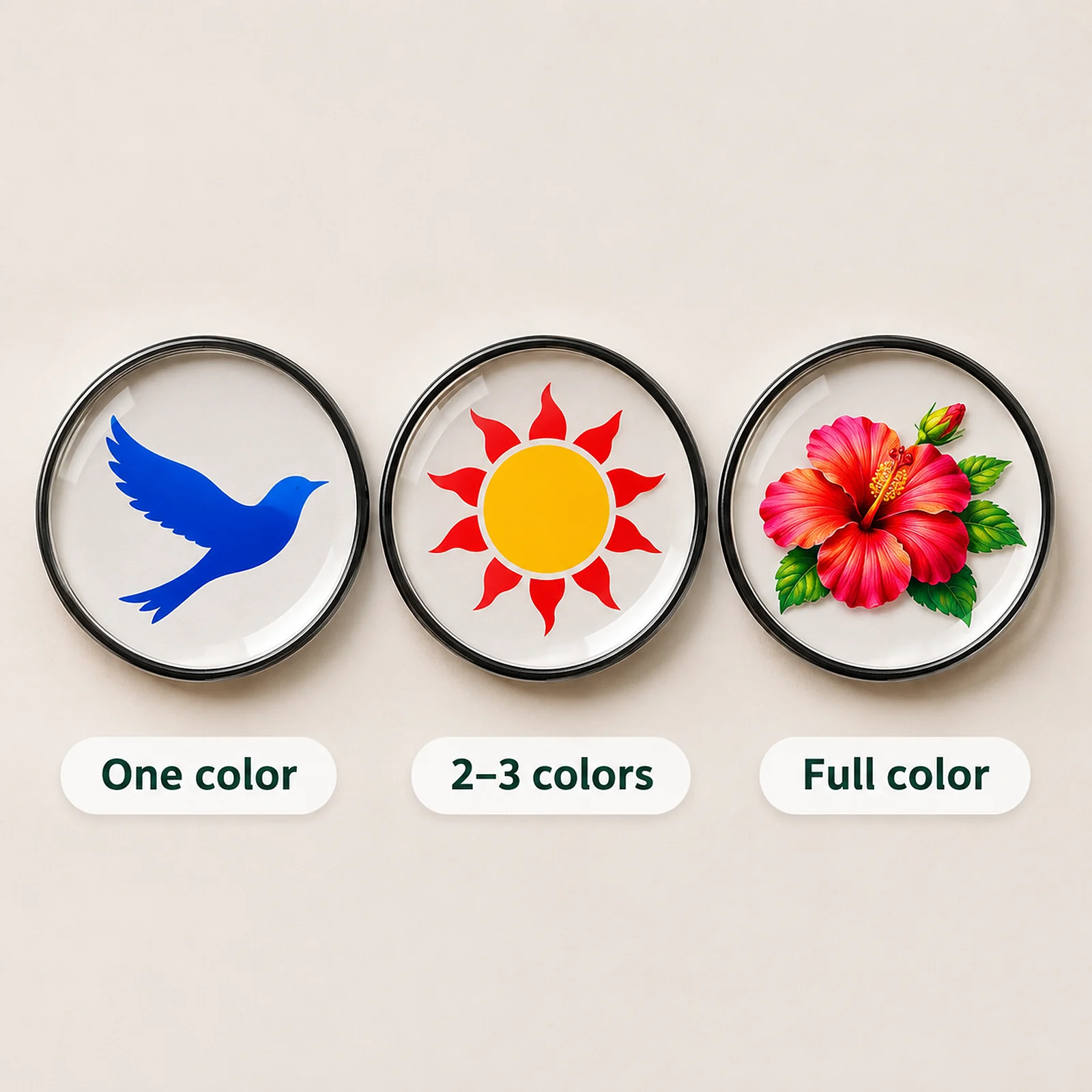
  • Your logo in glass: a 37 mm (1.46 in) glass lens carries your design in one color, 2–3 colors or full color.
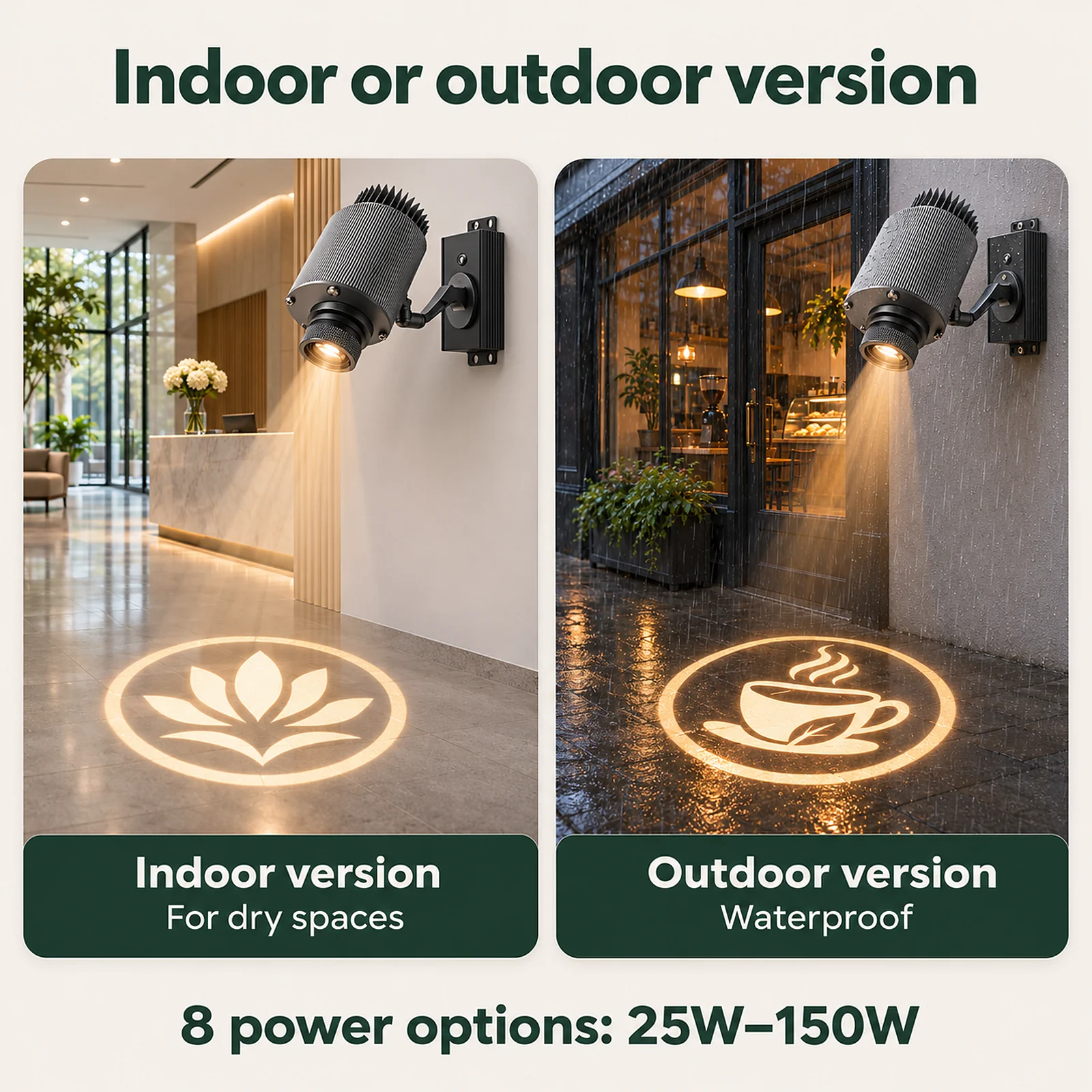
  • 8 power options: 25W to 150W, each as an indoor version or a waterproof outdoor version.
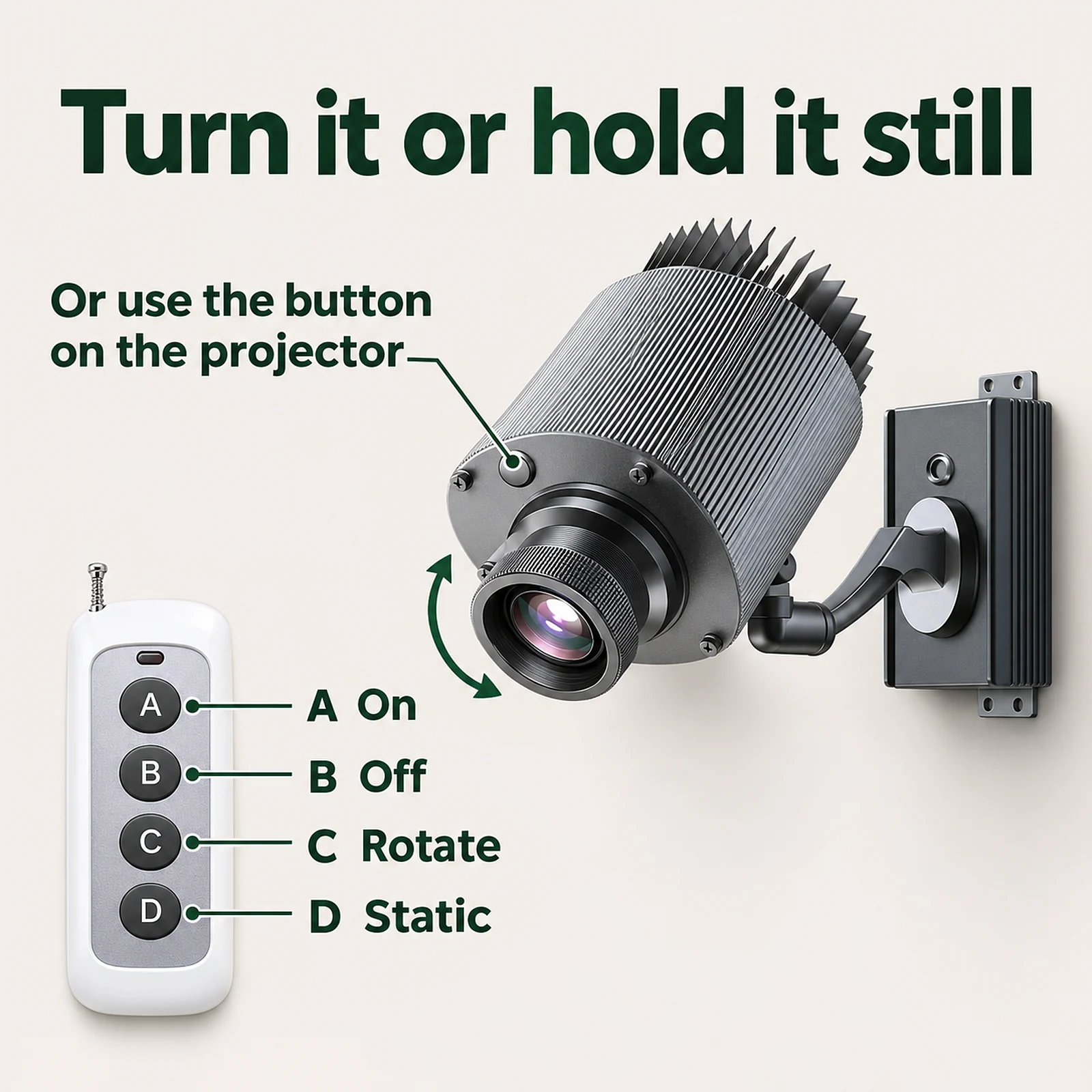
  • Rotate or hold still: switch modes with the 4-button remote or the button on the projector.
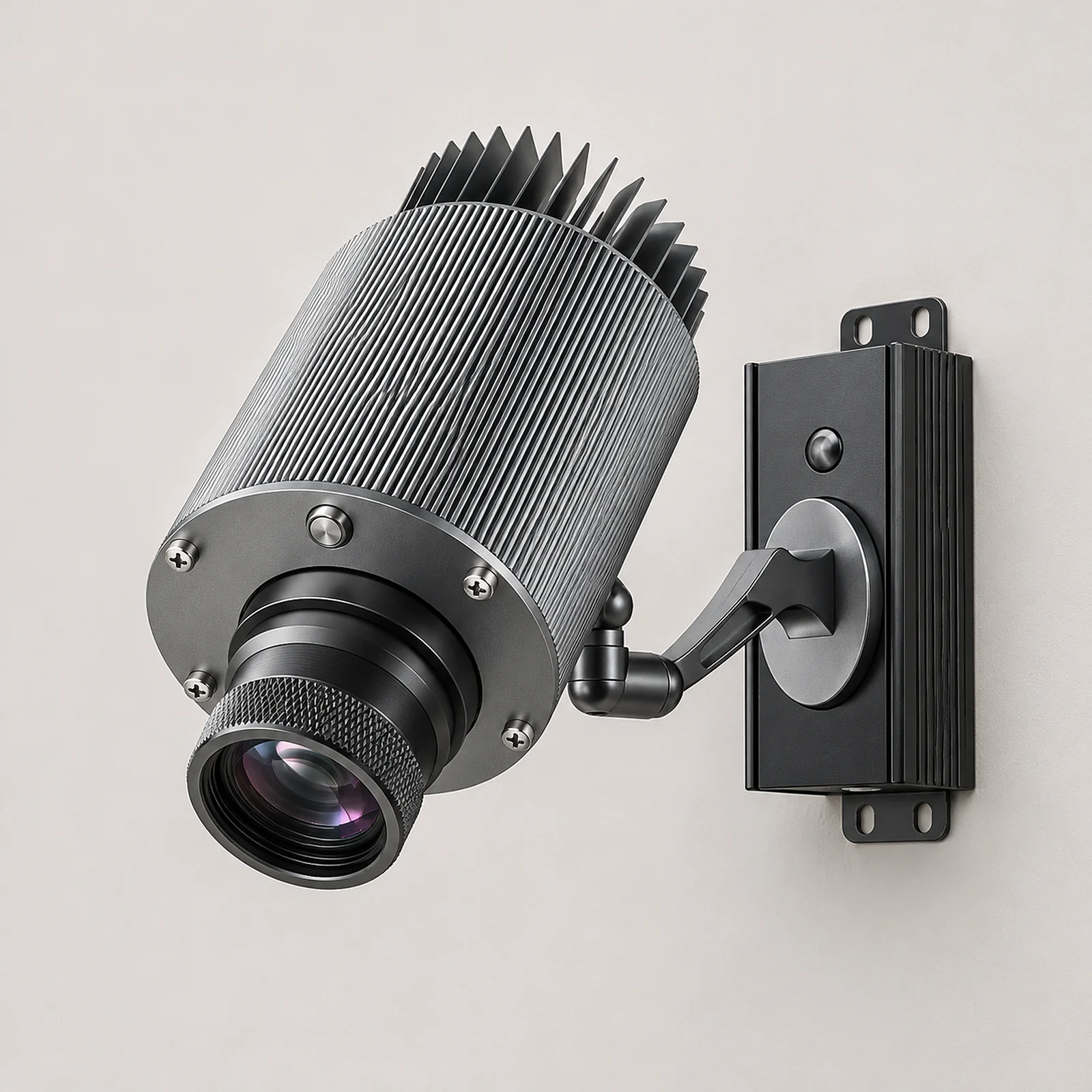
  • Aim it anywhere: the aluminum bracket adjusts 360° for wall or ceiling mounting.
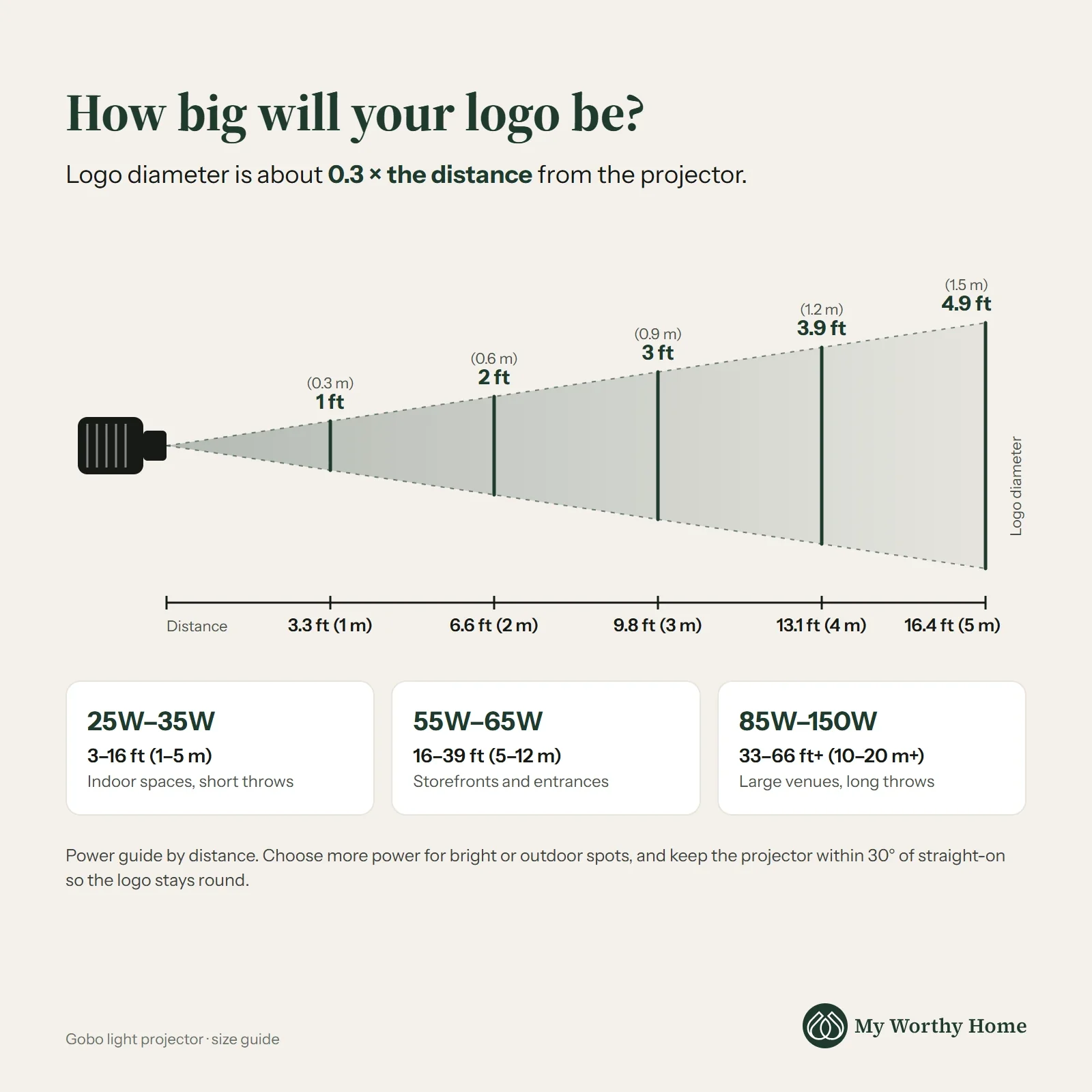
  • Logo size: about 0.3 × the distance, so 10 ft (3 m) away gives a logo about 3 ft (0.9 m) across. Measure from your mounting spot to the floor or wall before you order.
Clear selection
SKU: 2251832837887674

Product highlights

Key benefits

  • Projects your custom logo in a crisp circle of light
  • 8 power options from 25W to 150W
  • Indoor version or waterproof outdoor version
  • Logo turns or holds still, set by remote or button
  • 37 mm (1.46 in) glass logo lens you can swap later
  • Logo about 3 ft (0.9 m) wide from 10 ft (3 m) away
  • 360° adjustable bracket for wall or ceiling
  • Takes AI, CDR, JPG, PNG, TIF and PSD logo files

Buying guidance

Who it’s for

Shops, cafés, restaurants, salons, offices, hotels and event hosts who want a logo, welcome message or monogram shown on a floor or wall.

Before you buy

Choose two options and add both to your cart: a projector power (indoor or outdoor version) and a logo lens (one-color, 2–3 color or full-color). After ordering, reply to your order confirmation email with your logo file. Bright blues, purples and pinks project strongest; browns, grays and black project faintly, and black areas are not projected at all.

What’s included

The projector with its bracket, a 4-button remote, mounting screws and a hex wrench. Your logo lens comes with the order when you choose one.

Important considerations

Indoor versions are for dry spaces only. The logo is clearest in low light, and daylight or glass in front of the lens will weaken it. The lens gets hot after long use, so switch off and let it cool before changing it. Logos and scenes shown in photos are examples only; your lens carries your own design.

Size guide

Distance to floor or wallLogo diameter (incm)
3.3 ft (1 m)11.830
6.6 ft (2 m)23.659.9
9.8 ft (3 m)35.489.9
13.1 ft (4 m)47.2119.9
16.4 ft (5 m)59.1150.1

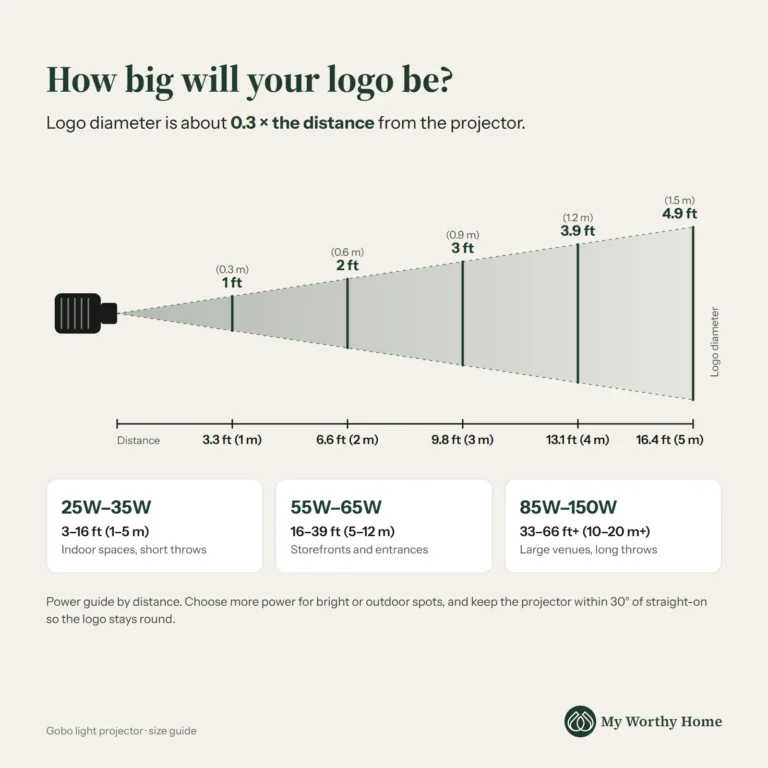
Two things decide the fit: how far the projector sits from the surface and how bright the space is. The logo’s diameter is about 0.3 times the distance, so 10 ft (3 m) away gives a logo about 3 ft (0.9 m) across. As a guide, 25W–35W suits indoor spaces and short throws of 3–16 ft (1–5 m), 55W–65W suits storefronts at 16–39 ft (5–12 m), and 85W–150W suits large venues at 33–66 ft (10–20 m) or more. Choose more power for bright or outdoor spots.

Common sizing mistakes

  • Ordering the projector without a logo lens. It needs one to show an image.
  • Choosing a low power for a bright street or a long throw.
  • Aiming at a steep angle. Beyond 30° from straight-on, the logo stretches.
  • Projecting through a window. Glass, especially double glazing, blocks much of the image.

How to measure

  1. Pick the spot: choose where the projector will hang, such as above the door or on the ceiling.
  2. Measure the throw: measure in a straight line from that spot to the center of where the logo should land.
  3. Work out the logo size: multiply the distance by 0.3 to get the logo’s diameter.
  4. Check the angle: keep the projector within 30° of straight-on to the surface so the logo stays round.
Size guide showing logo diameter from 1 ft at 3.3 ft to 4.9 ft at 16.4 ft away, and power by distance

Size guide

Gobo Light Projector & Custom Logo Projector for Business, Rotating with Remote, 25–150W

Distance to floor or wallLogo diameter (incm)
3.3 ft (1 m)11.830
6.6 ft (2 m)23.659.9
9.8 ft (3 m)35.489.9
13.1 ft (4 m)47.2119.9
16.4 ft (5 m)59.1150.1

Two things decide the fit: how far the projector sits from the surface and how bright the space is. The logo’s diameter is about 0.3 times the distance, so 10 ft (3 m) away gives a logo about 3 ft (0.9 m) across. As a guide, 25W–35W suits indoor spaces and short throws of 3–16 ft (1–5 m), 55W–65W suits storefronts at 16–39 ft (5–12 m), and 85W–150W suits large venues at 33–66 ft (10–20 m) or more. Choose more power for bright or outdoor spots.

Common sizing mistakes

  • Ordering the projector without a logo lens. It needs one to show an image.
  • Choosing a low power for a bright street or a long throw.
  • Aiming at a steep angle. Beyond 30° from straight-on, the logo stretches.
  • Projecting through a window. Glass, especially double glazing, blocks much of the image.

How to measure

  1. Pick the spot: choose where the projector will hang, such as above the door or on the ceiling.
  2. Measure the throw: measure in a straight line from that spot to the center of where the logo should land.
  3. Work out the logo size: multiply the distance by 0.3 to get the logo’s diameter.
  4. Check the angle: keep the projector within 30° of straight-on to the surface so the logo stays round.
Size guide showing logo diameter from 1 ft at 3.3 ft to 4.9 ft at 16.4 ft away, and power by distance

Electronics

A gobo light projector that puts your logo where people walk

Your logo, drawn in light on the floor, wall or sidewalk outside your door.

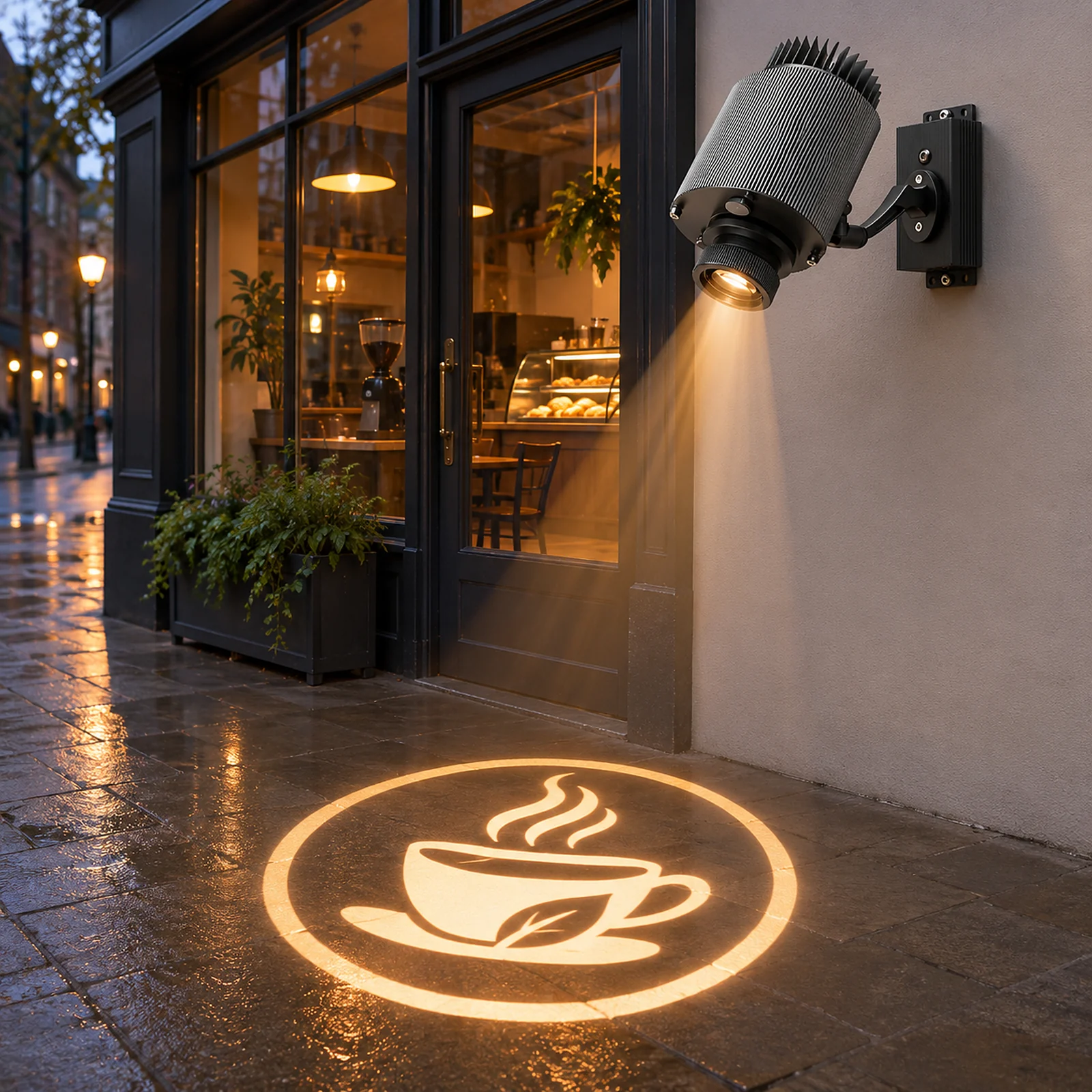
Picture a café on a busy street after dark. Its sign blends in with every other sign, and people walk right past. Now picture the café’s logo glowing on the sidewalk in front of them, slowly turning. This gobo light projector does exactly that with a small glass lens that carries your design. Mount it above the entrance, aim it, focus it, and from 10 ft (3 m) away it draws a logo about 3 ft (0.9 m) across.

Why you will love it

  • Custom logo projector – your design on a 37 mm (1.46 in) glass lens, in one color, 2–3 colors or full color.
  • Outdoor logo projector – outdoor versions are waterproof for entrances, sidewalks and patios.
  • Rotating logo projector – let the logo turn or hold it still with the remote or the button on the body.
  • Logo projector for business – 8 power options from 25W to 150W, so you can match it to your distance.
  • Swappable gobo lens – order a new logo lens when your branding or promotion changes.

Features in detail

What each part does, and the numbers behind it.

Glass gobo logo lens

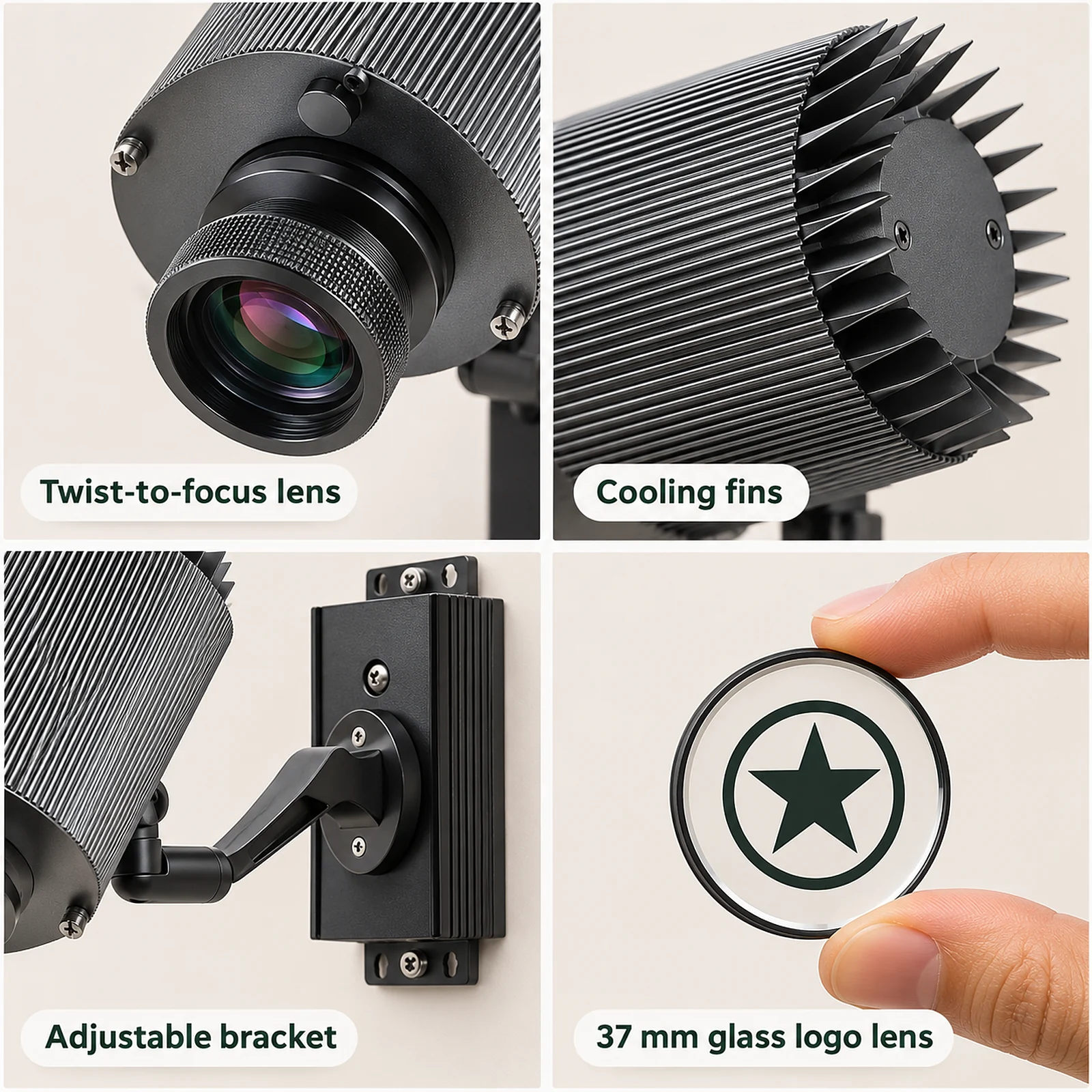
Your artwork is laser-etched onto 1 mm thermal glass, and full-color designs are thermal printed. The lens is 37 mm (1.46 in) across and sits behind the front cover, so you can swap it for a new design later.

Rotating or static image

A gear-driven motor turns the lens so the logo slowly spins, or it holds the image still. The 4-button remote switches the light on and off and changes between rotate and static, and there is also a button on the body.

Six-piece coated lens

Light passes through a condenser and a six-piece coated imaging lens. Twist the front lens barrel to bring the logo into sharp focus at your distance.

Finned aluminum body and 360° bracket

The aluminum alloy body is wrapped in cooling fins, and the bracket adjusts through 360°. The 25W–55W models use a slim L-arm wall bracket; the 65W–150W models use a box-base bracket with a jointed arm.

Indoor or outdoor version

Each power option of this gobo light projector comes in two versions. Outdoor versions are waterproof for doorways, sidewalks and patios. Indoor versions are for dry spaces such as lobbies, salons and offices.

One projector, many places

Where a gobo logo projector earns its keep.

Storefronts and entrances

Project your logo onto the sidewalk or the wall beside your door so people find you after dark. As a guide, a 55W–65W outdoor version suits most storefronts at 16–39 ft (5–12 m).

Lobbies, events and weddings

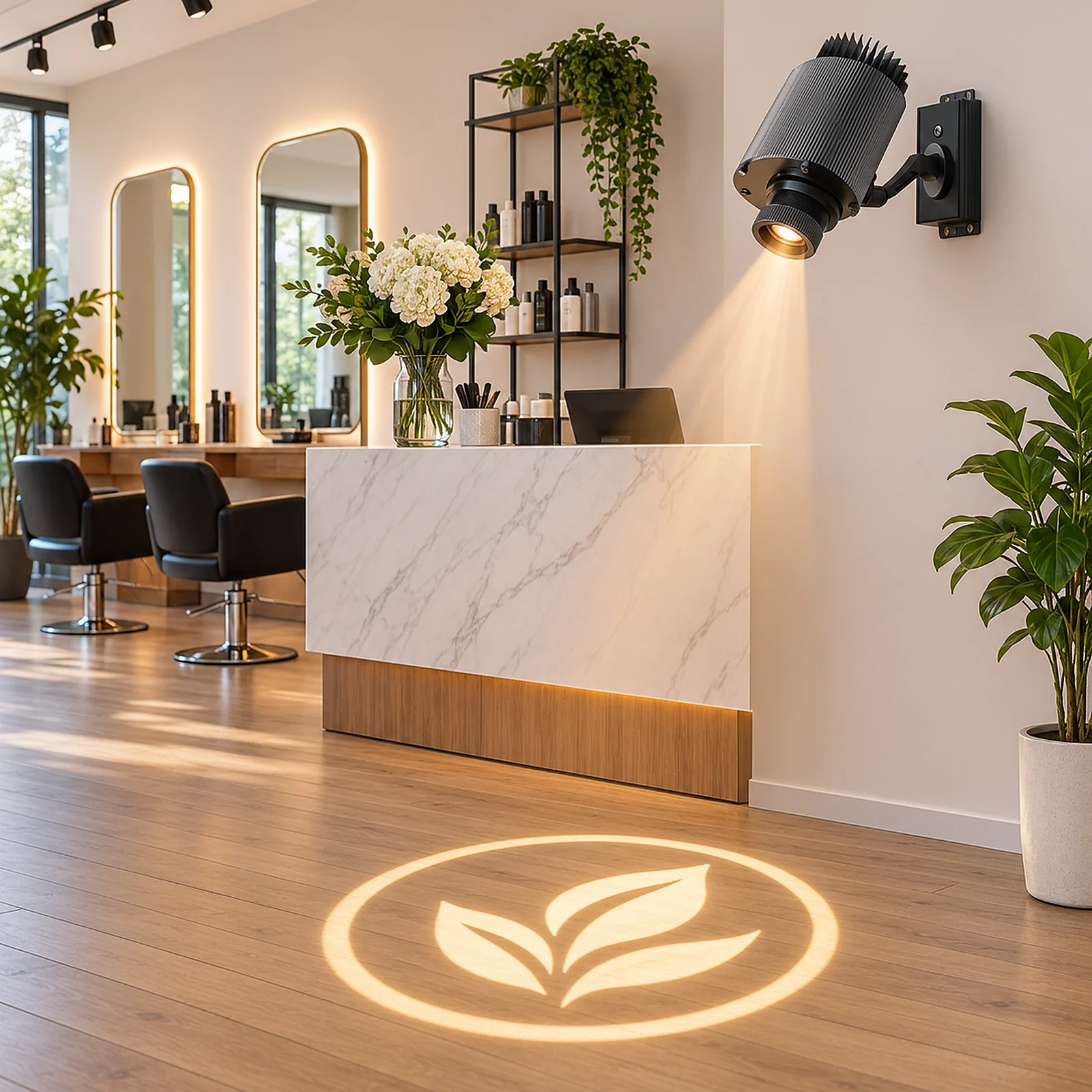
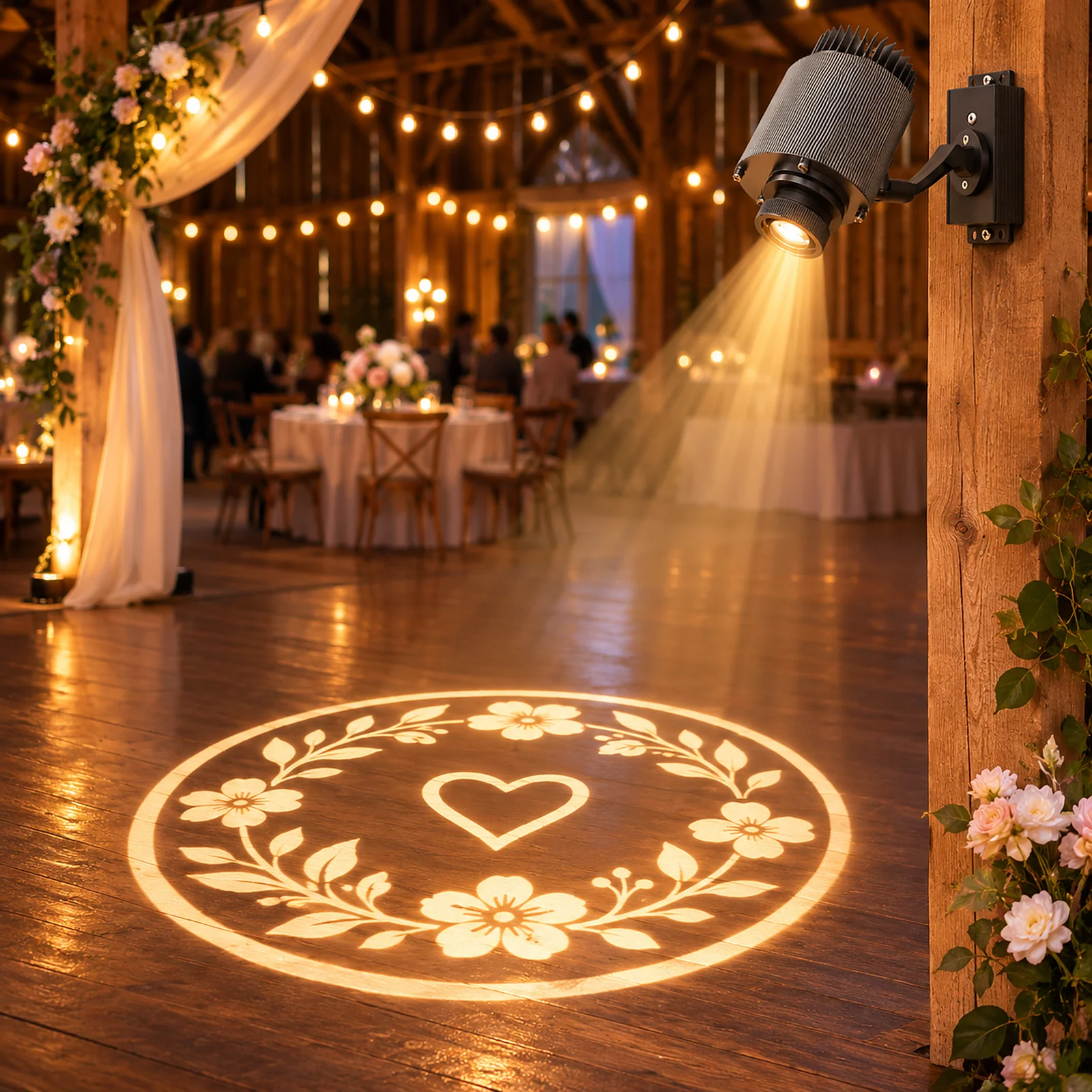
Put a welcome logo on a lobby floor, a brand mark behind a reception desk or a monogram on a dance floor. A 25W–35W indoor version suits short throws of 3–16 ft (1–5 m).

Specifications

Product type LED gobo logo projector
Power options 25W, 35W, 55W, 65W, 85W, 105W, 120W, 150W


Versions Indoor (dry spaces) or outdoor (waterproof)
Logo lens 37 mm (1.46 in) glass; one-color, 2–3 color or full-color, sold as a separate option


Logo size About 0.3 × distance: 1 ft (0.3 m) at 3.3 ft (1 m), 4.9 ft (1.5 m) at 16.4 ft (5 m)
Image modes Rotating or static


Controls 4-button remote (on, off, rotate, static) and a button on the body
Body and bracket Aluminum alloy with cooling fins; 360° adjustable bracket for wall or ceiling


Power supply AC 110–240V mains
What’s included Projector with bracket, remote, mounting screws and hex wrench; logo lens when ordered


Setting it up

  1. Measure the distance from your mounting spot to the floor or wall, and choose the power that suits it.
  2. After ordering, reply to your order confirmation email with your logo file (AI, CDR, JPG, PNG, TIF or PSD).
  3. Screw the bracket to the wall or ceiling, keeping the projector within 30° of straight-on to the surface.
  4. Plug it in, switch it on and aim it, then use the hex wrench to lock the bracket at the right angle.
  5. Twist the lens barrel until the logo is sharp. On outdoor versions, retighten the waterproof ring afterwards.
  6. Use the remote to set the logo turning or hold it still.

Mounting screws, a hex wrench and instructions are included.

Care and cleaning

Switch off, unplug and let the gobo light projector cool before touching the lens, because it gets hot after long use. Wipe the body with a soft dry cloth and clean the front glass with a lens cloth. Keep the cooling fins clear of dust and leaves so heat can escape. To change the logo, remove the front cover and the fixing ring, then fit the new lens with its black side facing out.

Please note: the gobo light projector needs a logo lens to show an image, so add one to your cart with the projector. Use indoor versions only in dry spaces. The logo is clearest in low light, and daylight or window glass in front of the lens will weaken it.


Set up your gobo light projector once, and your logo greets every passer-by long after the shop sign has faded into the dark.

Browse more in Electronics, Lighting and Outdoor Lighting.

Product Type

LED gobo logo projector

Power Options

25W, 35W, 55W, 65W, 85W, 105W, 120W, 150W

Versions

Indoor (dry spaces) or outdoor (waterproof)

Logo Lens

37 mm (1.46 in) glass; one-color, 2–3 color or full-color

Logo Size

About 0.3 × throw distance

Image Modes

Rotating or static

Controls

4-button remote and on-body button

Material

Aluminum alloy body with cooling fins

Mounting

Wall or ceiling, 360° adjustable bracket

Power Supply

AC 110–240V

Included Items

Projector, bracket, remote, mounting screws, hex wrench

Assembly

Screw bracket in place, aim and twist to focus

Care

Wipe with a dry cloth; clean the lens only when cool

5.0Based on 16 reviews
  • 5 stars16
  • 4 stars0
  • 3 stars0
  • 2 stars0
  • 1 star0

16 reviews for Gobo Light Projector & Custom Logo Projector for Business, Rotating with Remote, 25–150W

  1. R***p –

    Amaizing! Very happy with the projector.

  2. f***r –

    Perfect

  3. O***k –

    Really good item 👍 Recommended

  4. К***и –

    Thank you 😊

  5. J***o –

    Very good and powerful, I need to try it with my logo.

  6. G***o –

    Is the same as what I sent by email

    Photo 1 of 1 from G***o
  7. S***7 –

    Fast, very good definition and great quality, looks up to date.

    Photo 1 of 1 from S***7
  8. Y***m –

    Excellent product, arrived promptly even during the holiday season and looks excellent

  9. L***n –

    excellent quality!

  10. N***r –

    The product has had a slightly longer delivery time. It has been in customs and I had to pay € 34 extra clearance on it to get the product

  11. C***y –

    Superb company, my projectors have been working without fail for over 5 years. I just changed the lens because I changed the logo. The quality is incredible in this company. I recommend it.

  12. P***r –

    Professional

    Photo 1 of 1 from P***r
  13. К***и –

    Thanks, everything is excellent 😊 🙏🏼

  14. P***s –

    arrived very quickly, everything works, it was packaged well. but I should have ordered a more powerful lamp.

  15. m***r –

    I received quickly and they have good customer service which is very important to solve any issues

  16. C***y –

    Great stuff

Add a review

Your email address will not be published. Required fields are marked *

Frequently asked questions

Answers to the questions shoppers ask about this product. Can’t find yours? Ask us and we’ll reply by email.

Do I need to buy a logo lens as well?

Yes. The projector needs a glass logo lens to show an image. Choose a projector option and a logo lens option, and add both to your cart.

How do I send my logo?

After ordering, reply to your order confirmation email with your logo attached. AI, CDR, JPG, PNG, TIF and PSD files are accepted.

Which power should I choose?

Go by distance and light. As a guide, 25W–35W suits indoor spaces and throws of 3–16 ft (1–5 m), 55W–65W suits storefronts at 16–39 ft (5–12 m), and 85W–150W suits large spaces at 33–66 ft (10–20 m) or more. Choose more power for bright or outdoor spots.

How big will my logo be?

The logo’s diameter is about 0.3 times the distance from the projector. At 10 ft (3 m) it is about 3 ft (0.9 m) across, and at 16.4 ft (5 m) about 4.9 ft (1.5 m).

Can the logo rotate or stay still?

Yes. Use the remote’s rotate and static buttons, or the button on the projector, to switch between the two.

What is the difference between the lens options?

A one-color lens suits simple single-color logos. A 2–3 color lens suits logos with a few flat colors. A full-color lens is thermal printed for detailed, multi-color artwork.

Can I use it outdoors?

Choose an outdoor version for any spot exposed to rain, because outdoor versions are waterproof. Indoor versions are for dry spaces only. On outdoor versions, retighten the waterproof ring after focusing.

Will it work in daylight or through a window?

It is clearest in low light and after dark, and a bright day makes the logo fainter, so choose more power for sunny spots. Glass in front of the lens, especially double glazing, blocks much of the image.

Can I change the logo later?

Yes. Order a new logo lens, switch the projector off and let it cool, then remove the front cover and fixing ring and fit the new lens with its black side facing out.

Which colors project best?

Bright blues, purples and pinks show strongest. Browns, grays and black are faint, and black areas are not projected, so they appear unlit.

You may also like…

Still didn’t find what you need?

Tell us what you are looking for, such as a size, a color or a different product, and we’ll get back to you by email.